OA Defense — Tailscale Setup
A quick, one-time setup so we can deploy and manage your team's agent boxes securely.
You're setting up a private, secure network (called a "tailnet") so Nashville Automation can deploy and manage your team's dedicated agent boxes — without ever needing a login to your systems.
It's three short, point-and-click steps — about 5 minutes. There's nothing to configure and no code to edit: you create the network, sign in, and give us temporary admin access so we do the technical setup for you.
Create your tailnet & have each person sign in once
Go to Tailscale's login page and create your tailnet using your company Google or Microsoft SSO (single sign-on).
Open login.tailscale.com →Then have each of these three people sign in once, using their own work login, so they exist as users on the tailnet:
Invite us in as a temporary Admin
This is the only thing we need from you. Inviting us as an Admin lets us finish the whole technical setup in your console for you. It's console access only — we never put any of our machines on your network.
Open the Users page →- Click Invite users (top-right), then choose Outside my org.
- Choose Invite via email and enter
matthias@nashvilleautomation.io— or use Copy invite link and send us the link. - Set Select role to Admin.
- Send it.
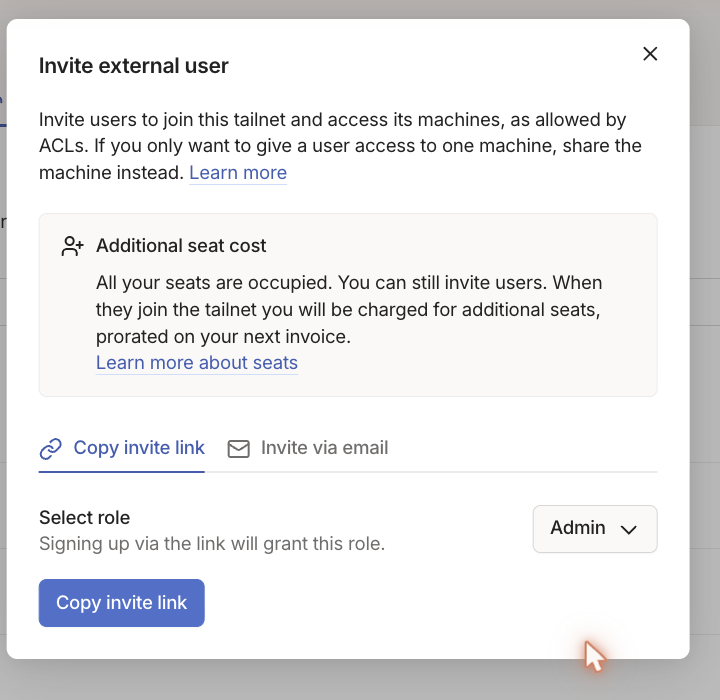
matthias@nashvilleautomation.io.Admin here means console access to configure the tailnet — it does not add any of our devices to your network. You can remove our access at any time from this same Users page, and we'll tell you as soon as it's safe to do so (usually within a day). If Tailscale mentions an added seat, that's just for the temporary admin and goes away when you revoke it.
That's it — we take it from here
Once your invite lands, we handle the rest for you: secure DNS, the access rules, the automation key, and standing up the three dedicated boxes for Mike, Chris, and Nick.
We'll email you when everything's live — with each person's box link — and let you know you can remove our admin access.
Nothing else is needed from your side. Thanks!